Know who’s doing what.
Agree who’s taking care of each chore. Leave other jobs open for anyone to pick up.
SHARED CHORES & HOUSEHOLD ROUTINES
Keep everyday chores and home upkeep in one shared plan. See what’s due today and who’s doing it.
Early access. No payment details at signup.
Works in your browser.Download Android app ↗
Room for real life.
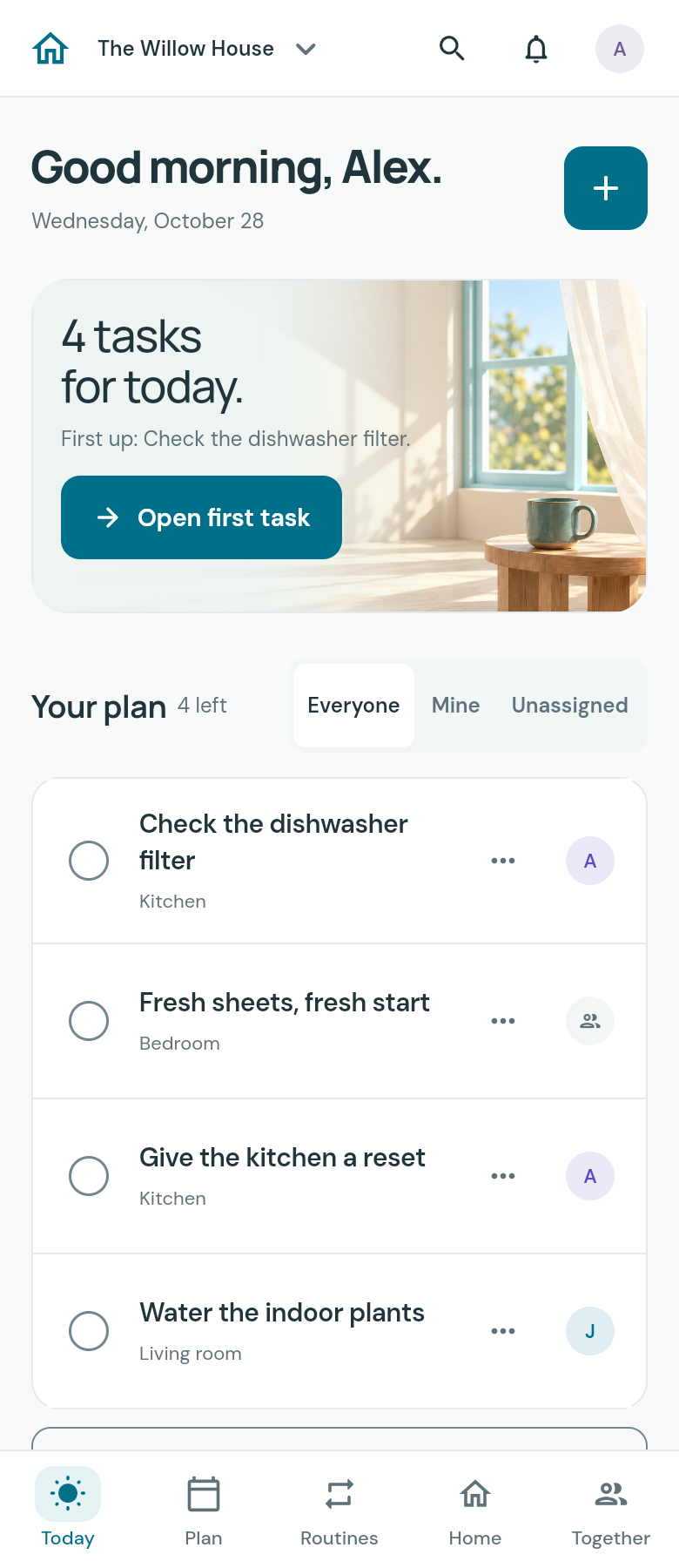
YOUR DAILY PLAN
Open Today for the chores that are due. The jobs for next week and further ahead have their own place.
WHEN PLANS CHANGE
If the sheets get washed on Saturday, the next wash can start from Saturday. The bins still go out on their usual weekday.
Set each chore to repeat after it’s done or on a fixed date. If you miss one, it stays a single task until you deal with it.
Set up your choresEvery 7 days after completion
Say you finish it…
The next wash is October 24, seven days after you finish.
A simple example, starting October 14, 2026. Not an app screen.
SHARE THE WORK
Everyone at home can check their chores and see what’s already done.
Agree who’s taking care of each chore. Leave other jobs open for anyone to pick up.
Save a filter size, part number, or photo with the task. Check what you need before replacement day.
Every completion saves the date in your household history. Keep notes with the task so they’re there next time.
GETTING STARTED
Choose the routines you already have, like changing the sheets or taking the bins out. Add more whenever you need them.
Start your householdMake an account and name your household. Pick a few starter chores or add your own.
Choose the interval or weekday for each chore, then agree who will handle it.
They’ll see the same plan in their own account. When someone finishes a chore, everyone can see it’s done.
QUESTIONS
A repeating chore gets its next due date when you finish or skip it. Choose a fixed schedule for bin day or an interval that starts after the work is done. Assign the chore and keep any part details with it.
It stays one open task. Snooze it until you have time, or skip that occurrence. Chores that repeat after completion start their next interval when you finish. Fixed-date chores keep their usual schedule.
Yes. Start with your own chores. You can invite another adult later by entering their email and sharing the invitation message. They join with their own account after verifying that email.
An iPhone app is planned. There’s no release date yet. You can open MostlyNeat in your browser.
MostlyNeat is in early access. Signup does not ask for payment details. We plan to offer a paid household subscription; pricing and timing haven’t been announced.
Yes. In Settings, download an archive of household records and available saved photos. Account and household deletion controls are there too. Open Help & your data for details about shared history and retained deletion records.
MOSTLYNEAT
Pick a few chores and make your first shared plan.
Start your householdSet up your household in the web app.
iPhone availability